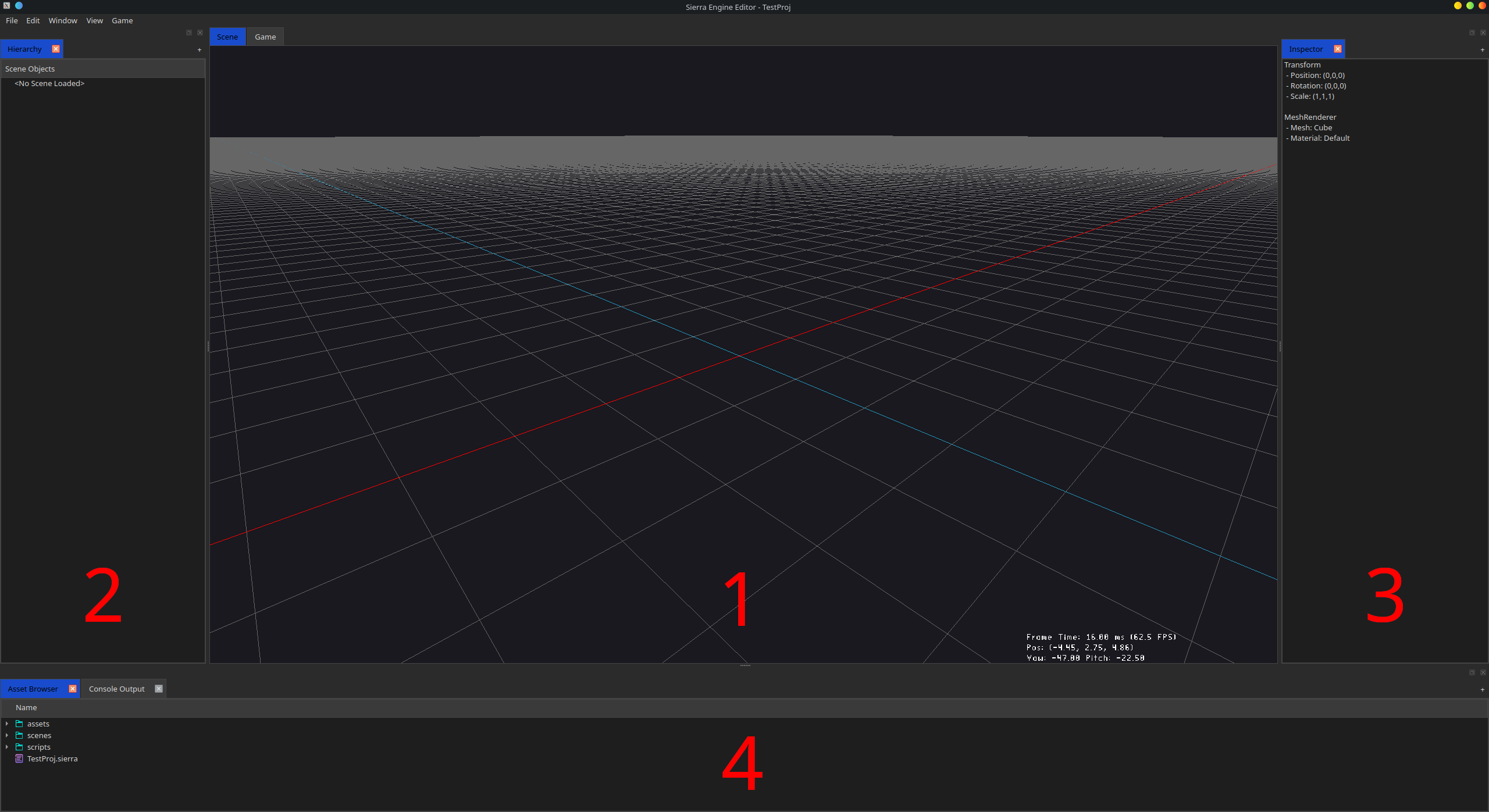
The main Editor is built out of 4 main parts (note the image).
Default Panels:
Panel 1 is the main Viewport panel. It actively shows the view of your active scene.
Panel 2 is one of the side panels. It is fully customizable according to the rules of the Generic Panel (By Default with the Scene Hierarchy Panel)
Panel 3 is one of the side panels. It is fully customizable according to the rules of the Generic Panel (By Default with the Inspector Panel)
Panel 4 is one of the side panels. It is fully customizable according to the rules of the Generic Panel (By Default with the Asset Browser and Console Output Panels)
🛈 This section is under construction.